
When you work remotely, your keyboard isn't just a tool — it's a key part of your comfort and productivity. Using an ergonomic keyboard can reduce wrist strain and prevent discomfort, helping you work longer and more efficiently.
Choosing the right ergonomic keyboard can transform your daily setup by supporting natural hand positions and minimizing fatigue. This guide will help you find keyboards designed to keep you comfortable and focused, so you can make the most of your home office experience.
Top Picks
|
Category |
Product |
Price |
Score |
|---|---|---|---|
|
💰 Best Value |
$26.27 |
87 |
|
|
🎯 Best Comfort |
$29.99 |
91 |
|
|
🚀 Best Features |
$54.59 |
85 |
How We Chose Your Ergonomic Keyboards
We looked at a combination of comfort features like wrist rests and natural typing angles, connectivity options such as wireless and Bluetooth, build quality, and user feedback to find keyboards that make your remote work easier. Battery life, ease of setup, and price also played a role, ensuring you get value without sacrificing performance or ergonomics.
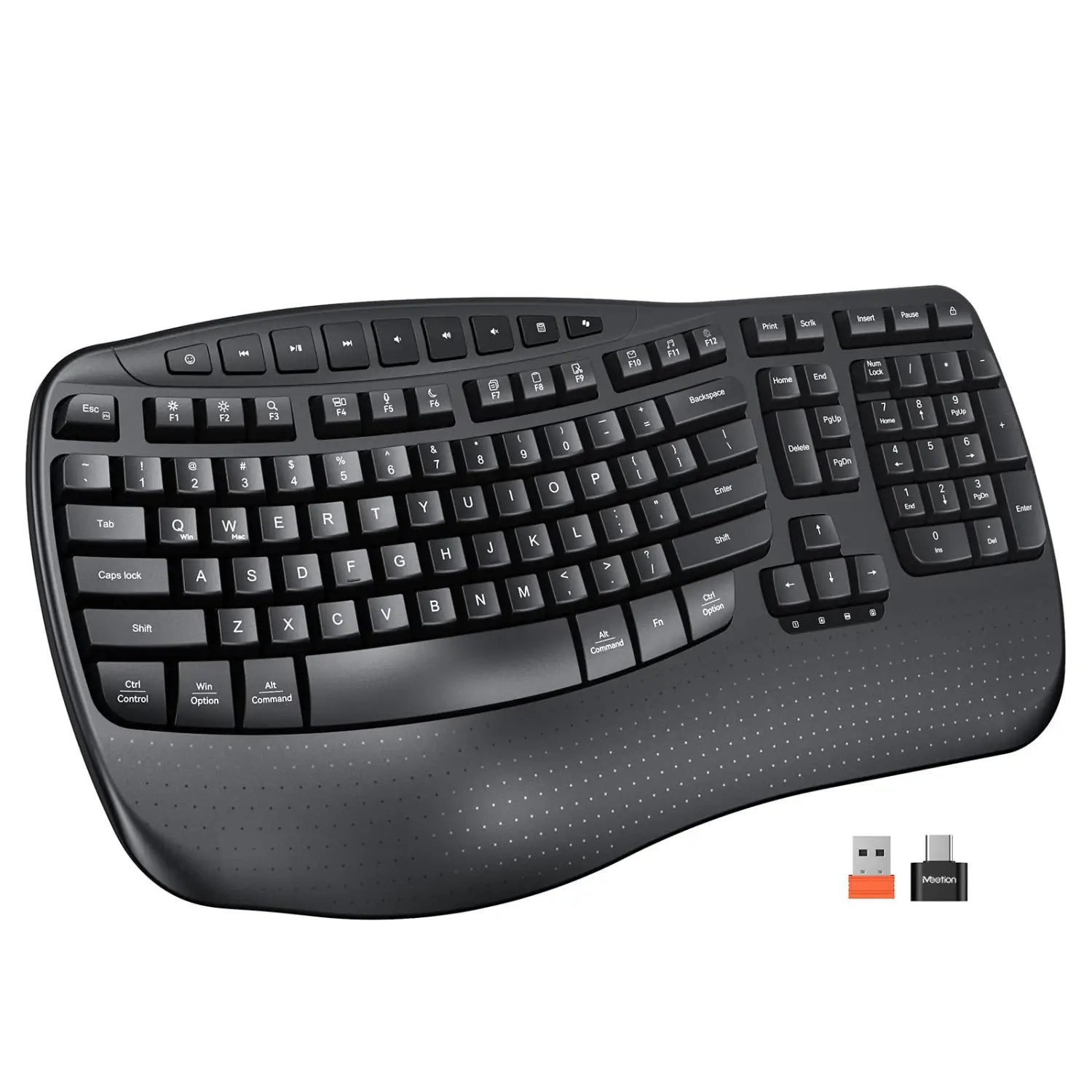
This keyboard is all about making typing feel natural and comfortable without making you relearn everything. Its wave-shaped keys follow the natural path of your fingers, so hitting every key feels smooth.
It’s wireless with a simple 2.4G USB receiver, so you just plug it in and get started — no Bluetooth hassle here. The built-in firm wrist rest helps keep your wrists supported during long typing sessions, which means less strain when you’re working from home or powering through deadlines. Plus, switching between Mac and Windows layouts is a breeze, so it fits your setup no matter what device you’re using.
It’s compact but still packs all the essentials for everyday work or creative projects, perfect if you don’t want to clutter your desk with a full-sized keyboard.
What People Say
Most folks appreciate how comfortable the wave-shaped keys feel and how the firm wrist rest actually helps with wrist alignment during long typing sessions. People say setting it up is straightforward thanks to the wireless USB receiver, and they like being able to switch between Mac and Windows without a glitch.
Some mention the keyboard’s compact size works great for smaller desk spaces, although a few wished it was a bit larger. Overall, customers find it a solid, reliable keyboard for everyday use.
|
Pros |
Cons |
|---|---|
|
✅ Comfortable ergonomic design that’s easy to get used to |
❌ Compact size may feel small if you prefer full-sized keyboards |
|
✅ Firm wrist rest provides good support for wrists |
❌ Keys can occasionally stick or miss strokes |
|
✅ Simple plug-and-play wireless connection |
❌ Requires AAA batteries (not included) |
|
✅ Dual OS compatibility without complicated setup |
|
|
✅ Long battery life with auto-sleep feature |
|
Health Advantages
|
Benefit |
Description |
|---|---|
|
Reduced Wrist Strain |
The curved wave key design encourages a natural finger movement that reduces awkward wrist bending. |
|
Better Wrist Alignment |
The firm wrist rest keeps your wrists supported and in a neutral position, which helps prevent fatigue during long typing sessions. |
|
Lower Risk of Repetitive Strain Injuries |
Ergonomic shape and wrist support can help minimize the stress on tendons and muscles. |
Comfort Level
The keyboard’s wave-shaped layout matches the natural shape of your hands, while the solid wrist rest adds stable support. This combo means you’re less likely to cramp up or feel discomfort during long hours of typing.
Why You’ll Like It
- Ergonomic wave key design guides your fingers naturally
- Built-in firm wrist rest keeps your wrists aligned and supported
- Wireless with plug-and-play 2.4G USB receiver for hassle-free setup
- Dual system layout lets you switch easily between Mac and Windows
- Auto-sleep mode extends battery life during downtime
Current Price: $26.27
Rating: 4.5 (total: 85+)
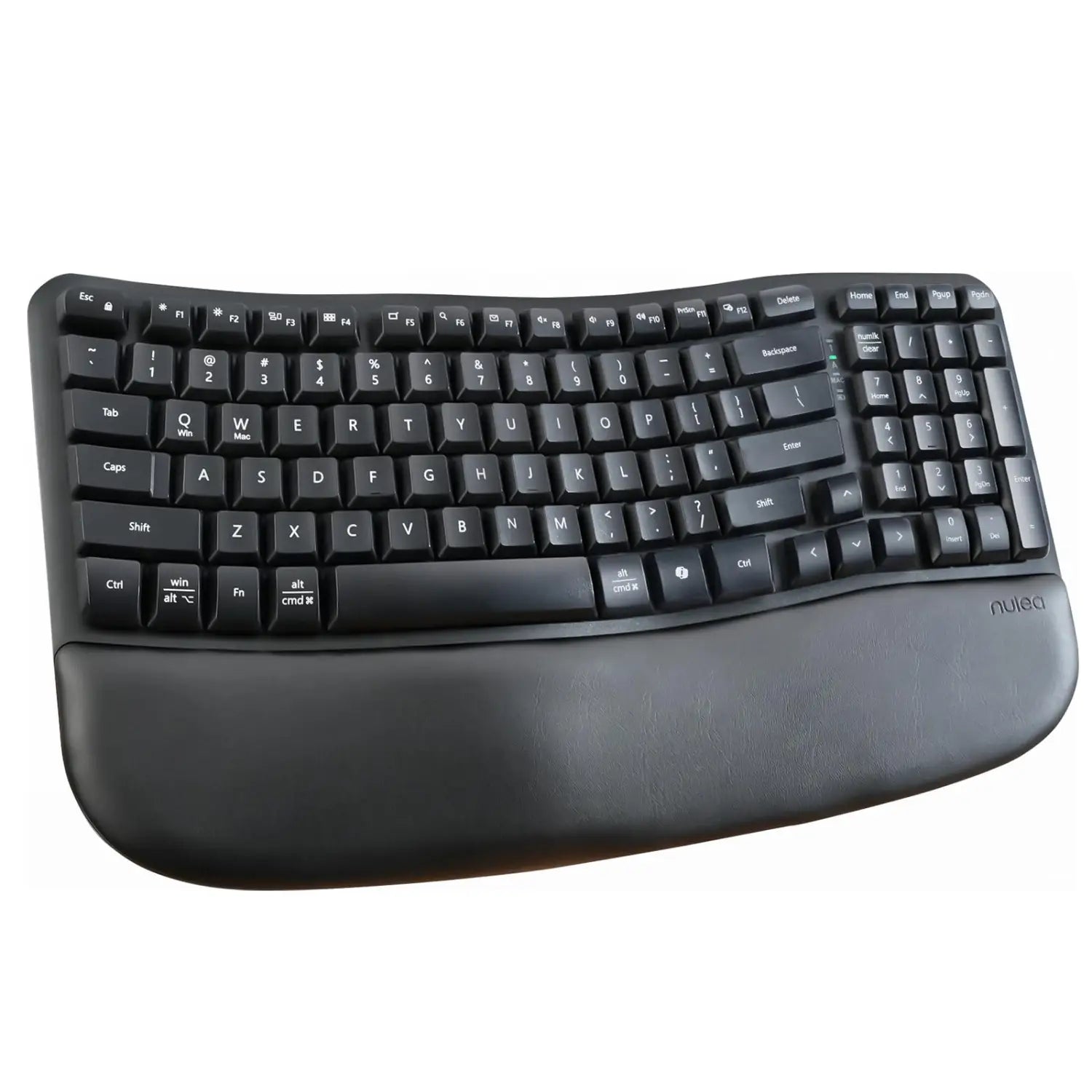
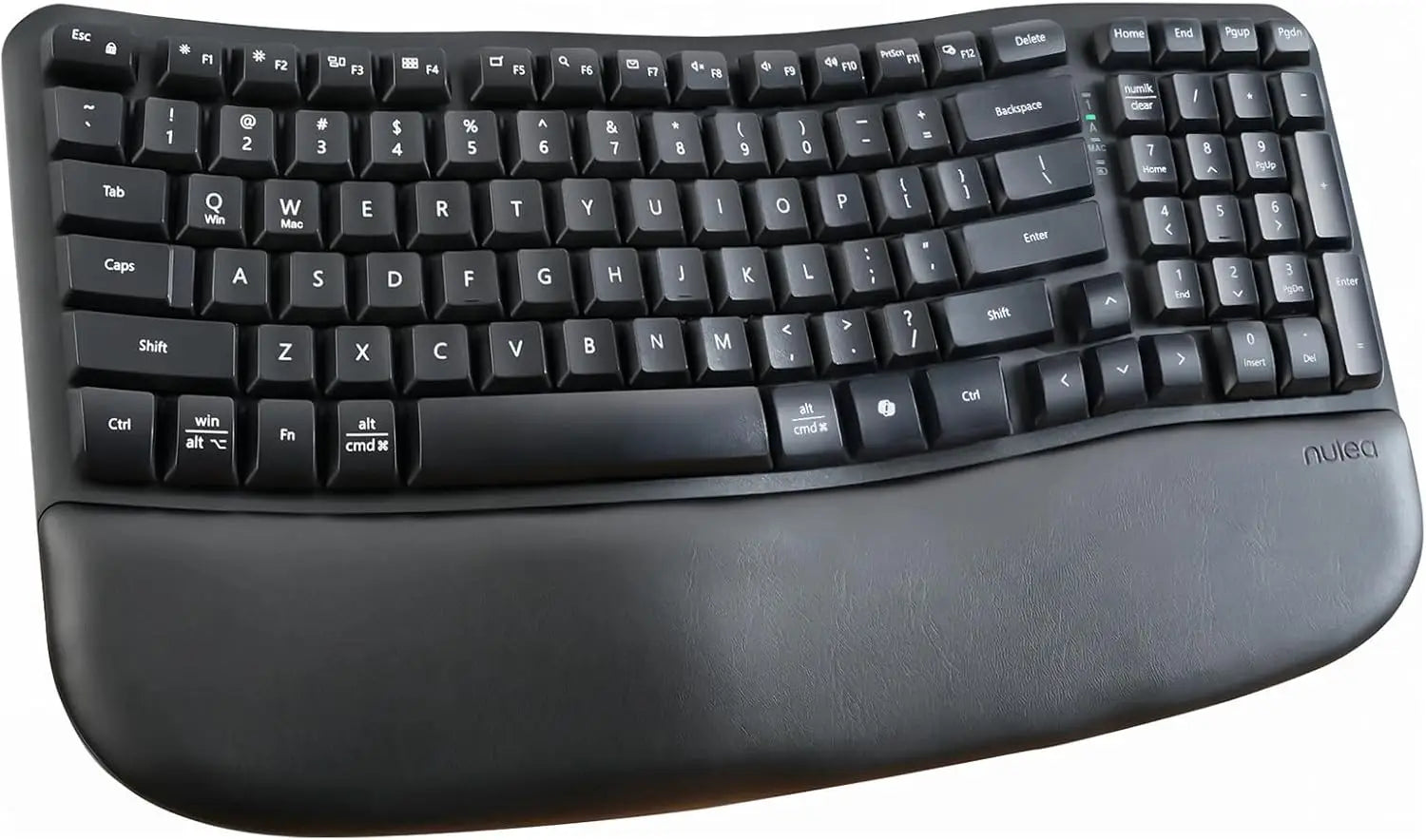
This keyboard is designed to make your typing experience comfy from the get-go, without that weird learning curve some ergonomic boards have. The wave-shaped layout fits the natural curve of your fingers, so it feels smooth and easy to use. You get a cushioned palm rest that truly helps ease wrist pressure during long work sessions. Plus, it’s wireless with a 2.4GHz USB receiver, so setup is pretty much plug-and-play.
You can adjust the typing angle with the rear footrests to find what feels best for you. Whether you’re grinding through emails, typing reports, or just browsing, this keyboard blends ergonomic benefits and usability, making it a great companion for your remote work setup.
What People Say
Most users highlight how natural and comfortable the wave design feels, especially with the cushioned palm rest that really helps reduce wrist strain. People also like how easy it is to set up thanks to the wireless USB receiver and appreciate the adjustable tilt feature for personal comfort.
Battery life is praised as lasting a long time, although some wish for rechargeable options. Overall, it’s a favorite for those wanting ergonomic support without a drastic change in typing style.
|
Pros |
Cons |
|---|---|
|
✅ Comfortable wave design fits natural hand positioning |
❌ Uses AAA batteries instead of rechargeable battery |
|
✅ Soft, memory foam palm rest adds extra wrist support |
❌ No backlighting on keys |
|
✅ Wireless with simple USB plug-and-play |
❌ FN key placement may take some getting used to |
|
✅ Adjustable feet for personalized typing angle |
|
|
✅ Full-sized keys with all necessary function buttons |
|
Health Benefits at a Glance
|
Benefit |
Description |
|---|---|
|
Reduced Wrist Pressure |
The wave shape allows your fingers to rest naturally, easing pressure on your wrists and forearms. |
|
Better Hand Posture |
Adjustable tilt and cushioned palm rest encourage a neutral wrist position, lowering chances of fatigue. |
|
Less Risk of Repetitive Strain Injury |
Ergonomic features help minimize stress to tendons and muscles during extended typing. |
Comfort Factor
Thanks to the wave-shaped keys and the soft palm rest, this keyboard feels gentle on your hands, especially during long typing sessions. The adjustable tilt helps you find the spot where your wrists feel least strained, so you can work longer without discomfort.
Why You’ll Appreciate It
- Wave-shaped keys reduce hand fatigue by following your natural finger movements
- Soft memory foam palm rest supports your wrists for hours of typing comfort
- Wireless 2.4GHz USB receiver means no messy cables or Bluetooth setups
- Adjustable tilt lets you find your perfect typing angle easily
- Full key layout covers all your function keys for varied work needs
Current Price: $29.99
Rating: 4.6 (total: 215+)
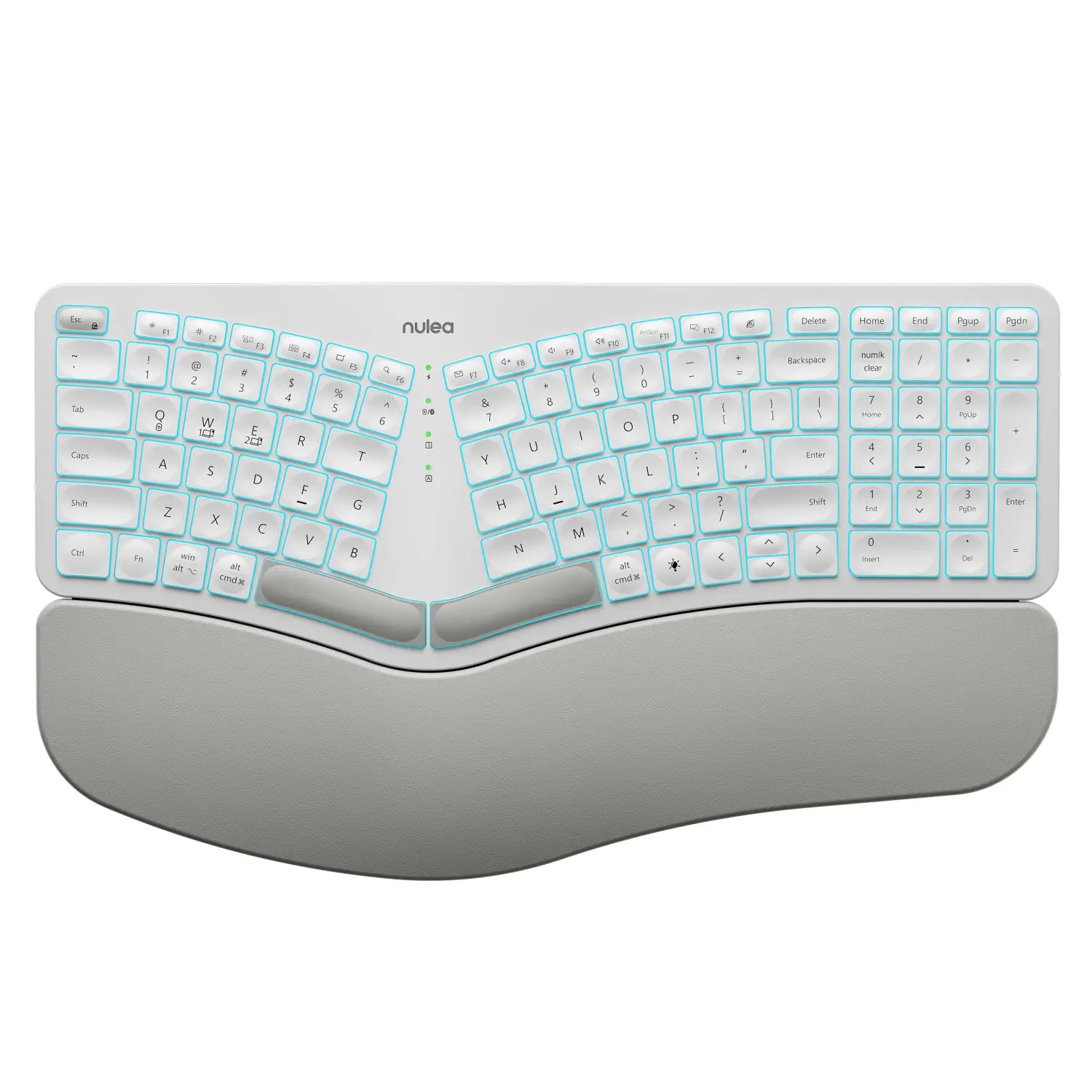
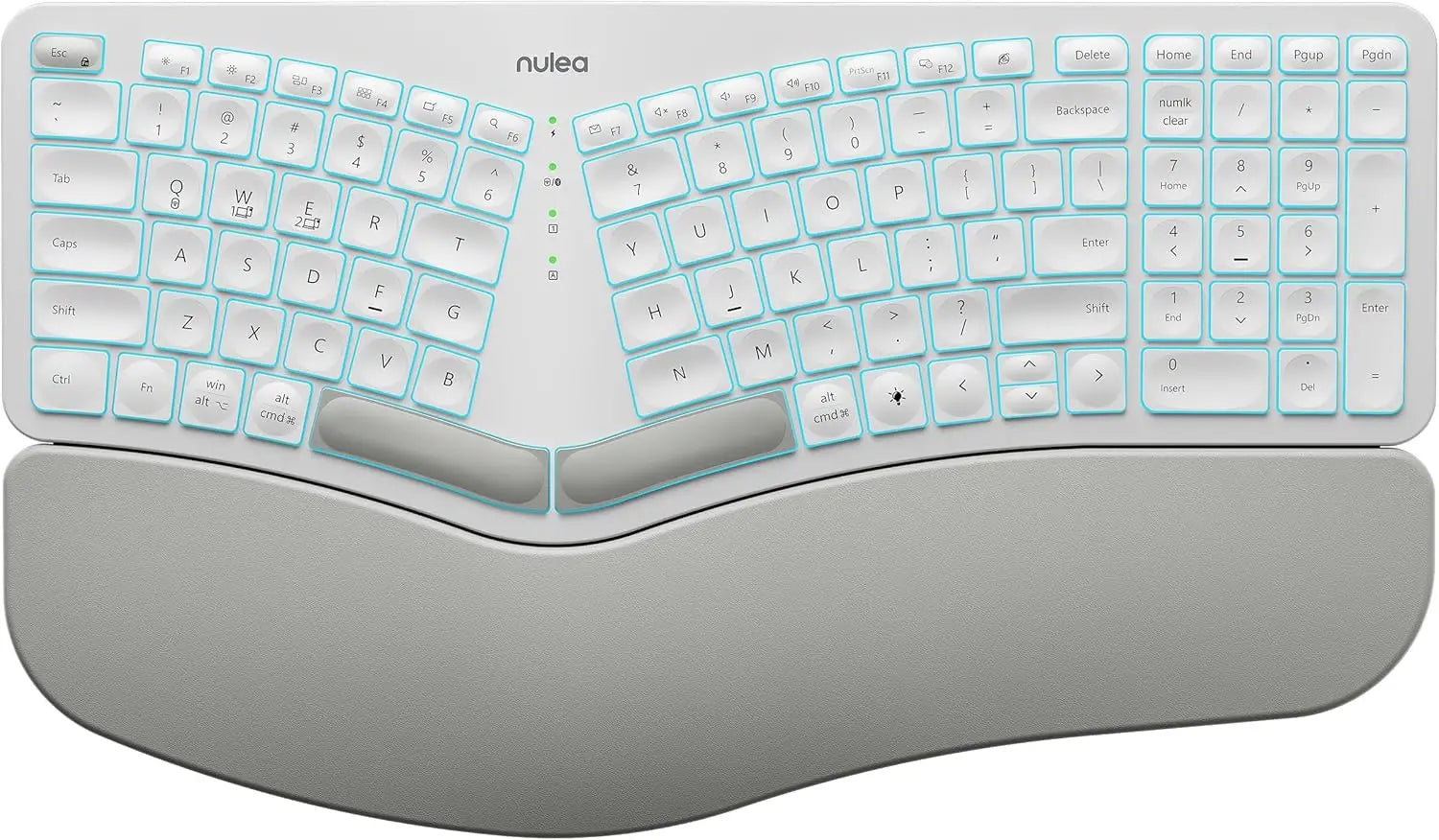
If you spend lots of time typing, this keyboard can really make a difference in how your hands and shoulders feel by encouraging a more natural posture. It’s split and curved to help keep your wrists relaxed, and the cushioned wrist rest adds some gentle support while you work. You get the flexibility to connect up to three devices at once and switch between them with a button, which is great if your work and personal gadgets are scattered around. The backlit keys let you customize colors and brightness to suit your mood or lighting, and the USB-C recharge means less fuss with batteries.
Whether you’re typing emails, writing reports, or just scrolling, it’s a solid choice for upgrading your remote setup without a steep learning curve.
What People Say
People often mention how comfortable it feels compared to traditional keyboards, especially appreciating the wrist rest and the split layout that helps reduce fatigue. The ability to quickly switch between multiple devices is a favorite, and the variety of backlight colors adds a fun, practical touch for working in different lighting. Some say there’s a slight adjustment period for the layout, but most find their typing speed comes right back once they get used to it.
Battery life and connectivity generally get good marks too, although a few users have had minor issues with Bluetooth on certain setups.
|
Pros |
Cons |
|---|---|
|
✅ Ergonomic split design reduces wrist and shoulder strain |
❌ Typing layout may take some getting used to initially |
|
✅ Connects to three devices and switches seamlessly |
❌ Backlight turns off at low battery which might surprise you |
|
✅ Rechargeable with USB-C for less hassle |
❌ Some find the adjustable feet don’t tilt as much as preferred |
|
✅ Customizable backlight adds style and usability |
|
|
✅ Adjustable tilt legs for personalized comfort |
|
Health Benefits At A Glance
|
Benefit |
Description |
|---|---|
|
Reduced Wrist Stress |
The split and curved key layout helps keep your wrists aligned and relaxed, lowering tension. |
|
Improved Shoulder Posture |
By allowing your arms to rest naturally, it keeps your shoulders from hunching up. |
|
Less Fatigue Over Time |
Comfort features like cushioned wrist rest and adjustable tilt legs reduce muscle strain during long typing sessions. |
Comfort Level
With its split design and wrist support, typing doesn’t feel like a strain — even after hours. The adjustable tilt legs help you find a wrist angle that feels good and keeps fatigue at bay.
What Makes It Nice
- Split design gently angles your hands for a more natural typing position
- Switch between 3 devices easily with Bluetooth and USB options
- Customizable 7-color backlight with adjustable brightness levels
- Long-lasting rechargeable battery with convenient USB-C charging
- Adjustable tilt legs let you find the most comfortable wrist angle
Current Price: $54.59
Rating: 4.3 (total: 1541+)
FAQ
What Should I Consider When Choosing an Ergonomic Keyboard for Remote Work?
When selecting an ergonomic keyboard, you want to focus on comfort, compatibility, and your typical typing habits. Look for features like a wrist rest or wave-shaped keys, which help reduce strain during long hours.
Also, consider connectivity options—wireless keyboards with USB-A or USB-C receivers are convenient if you move around or have limited desk space. Make sure the keyboard supports your devices, whether it's Windows, Mac, or multiple platforms.
Price is important too; for example, you can find quality options like the MEETION Wireless Ergonomic Keyboard around $26.27 USD or the Nulea RT08 model near $29.99 USD. A good ergonomic keyboard should feel natural quickly without a long adjustment period, so test if possible or check user feedback about how easy it is to adapt.
Will Ergonomic Keyboards Really Help With Wrist Pain and Typing Fatigue?
Yes, ergonomic keyboards can make a noticeable difference if you experience wrist pain or fatigue from typing. The design usually places your hands and wrists in a more natural, relaxed position compared to standard flat keyboards.
For example, keyboards with wave or split key layouts and cushioned palm rests help reduce pressure on your wrists and fingers. Users often report less discomfort using these, especially with models like the Nulea RT08 that features a cushioned wrist rest and natural wave key design.
However, you might need a short adjustment period as your muscles adapt. It's also key to maintain good posture and take breaks to maximize benefits.
How Can I Make Sure My Ergonomic Wireless Keyboard Stays Connected and Responsive?
Wireless ergonomic keyboards usually connect via 2.4 GHz USB dongles or Bluetooth. To keep a reliable connection, place the receiver in a nearby USB port, not blocked by metal objects. Some keyboards like the MEETION and Nulea RT08 include USB-C adapters to fit modern laptops, making connection smoother.
If keys sometimes stick or the keyboard temporarily loses connection, unplugging and plugging the receiver back in often fixes it quickly. Also, ensure your batteries are fresh or fully charged—models with replaceable AAA batteries or rechargeable options like the Nulea RT05 can vary in battery life and convenience. Turning off the keyboard when not in use helps save power and improves longevity.
Wrapping Up
Now that you’ve seen the top ergonomic keyboards for remote work, you can choose the one that best fits your needs and budget. Whether you're after affordable comfort, a keyboard with killer ergonomic support, or one packed with advanced features, these options help you keep your wrists healthy and your workflow smooth.
Investing in an ergonomic keyboard is investing in your well-being while working from home, so take a step towards a more comfortable and productive setup.
| MEETION Wireless Ergonomic Keyboard | Nulea RT08 Wave Keys Wireless Ergonomic Keyboard | Nulea RT05 Wireless Ergonomic Keyboard | |
|---|---|---|---|
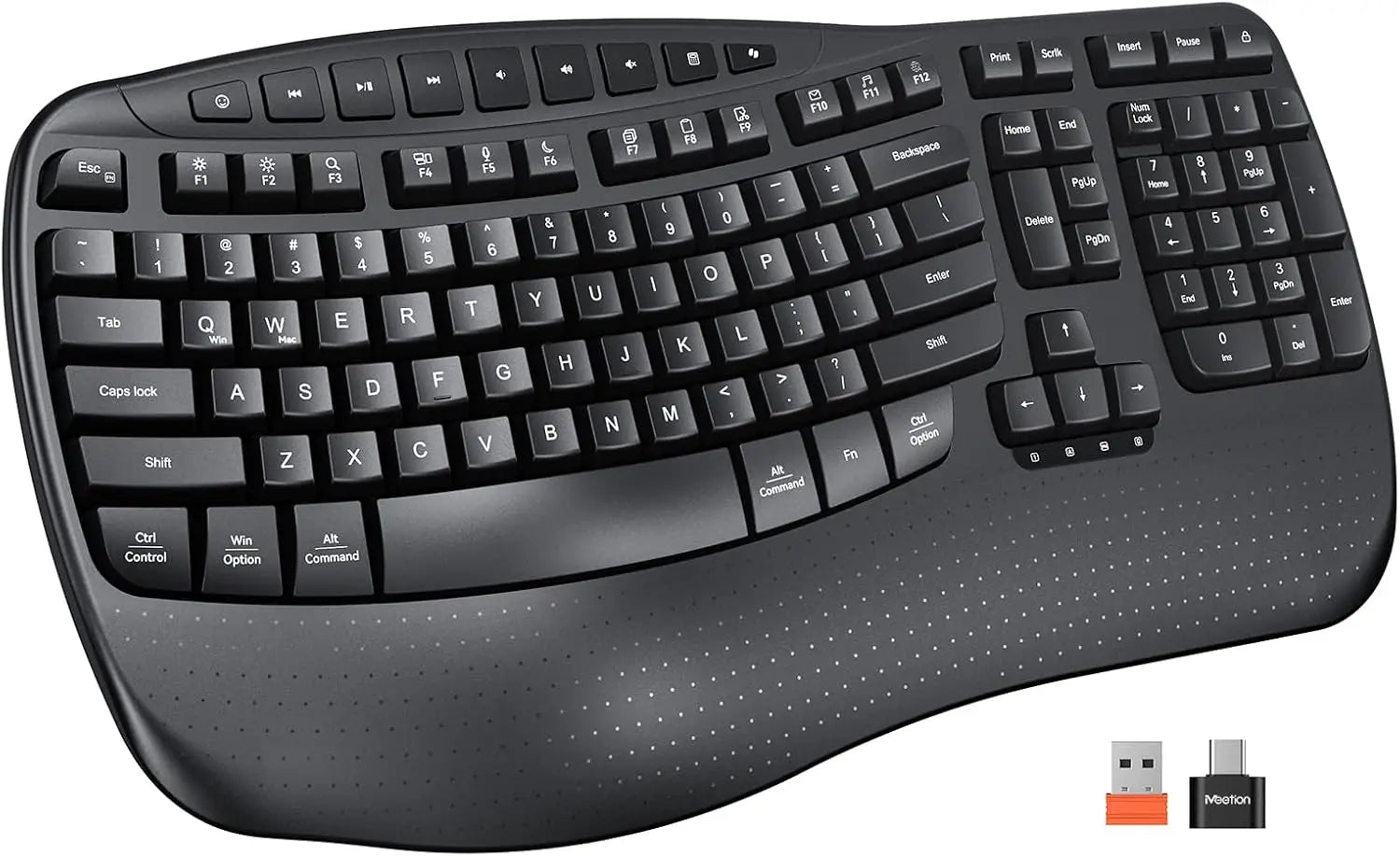 |
 |
 |
|
| Rating | 4.5/5 (85 reviews) | 4.6/5 (215 reviews) | 4.3/5 (1,541 reviews) |
| Price | $26.27 | $29.99 | $54.59 |
| Connectivity | USB-A, USB-C | 2.4GHz | Bluetooth, USB-C |
| Special Highlights |
|
|
|
| Dimensions & Weight | 17.39 x 9.43 x 1.81 in, 16 oz | 17.17 x 10.12 x 1.77 in, 2.14 lbs | 16.93 x 10.04 x 1.65 in, 3.58 lbs |
| Buy Now | Buy Now | Buy Now |